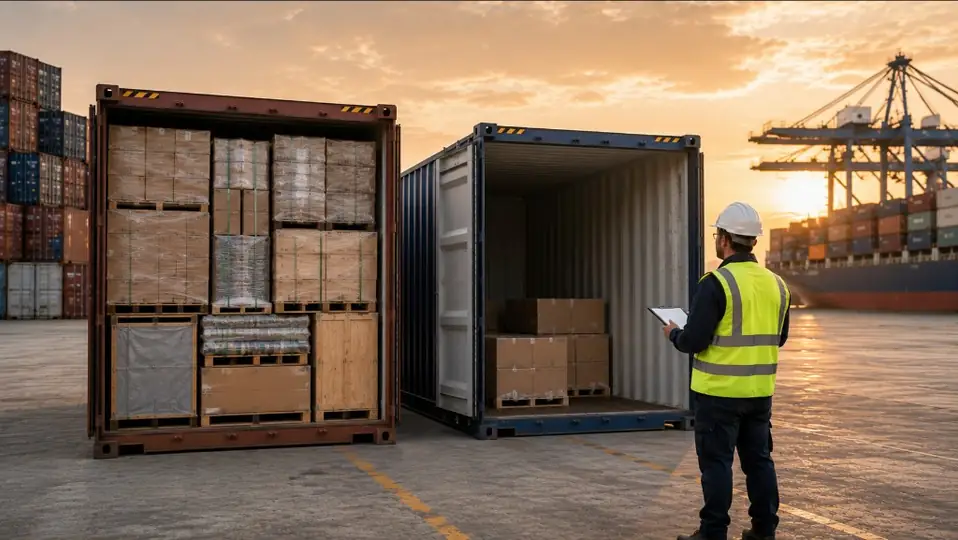
The Ghost Container: 3D Simulation to Avoid Extra Freight
July 24, 2026 5 min read
In international trade and supply chains, a recurring phenomenon quietly erodes the profit margins of hundreds of companies: the “ghost container.”
It is the extra container—often paid at a full FCL (Full Container Load) rate or as an expensive last-minute LCL (Less than Container Load) shipment—that must be booked urgently because 10% or 15% of the planned order did not fit in the expected containers.
Why does this happen if procurement calculated the volume in cubic meters (m³) before signing the order? The answer is simple: cubic meters in a spreadsheet are fluid, while real cargo has shapes, stacking limits, and geometric constraints.
This article explains how to move from a passive calculator to a dynamic 3D decision-making model that eliminates the ghost container before the Purchase Order (PO) is sent to the supplier.
1. The “2.1” Problem: The Gap Between Procurement and Logistics
Imagine a common scenario in the procurement department of an importing company:
- The team analyzes demand and decides to order 1,200 units of a product.
- Each unit has a theoretical volume of 0.05 m³. The total order is 60 m³.
- Since a 40ft High Cube (40’ HC) has an approximate volumetric capacity of 76 m³, Excel concludes the order comfortably fits in one container.
What happens at the loading bay
When palletized cargo arrives at the supplier’s loading bay, geometric reality takes over:
- Standard pallets cannot use upper space because of the maximum stacking height.
- Carton dimensions do not exactly match the container’s internal width, leaving unusable lateral “dead space.”
- If the order contains mixed cargo—such as cartons, drums, cable reels, or long metal bars—the wasted space multiplies.
The result: container number one is physically full after only 1,000 units have been loaded. Two hundred units remain behind.
The financial consequence: the company must book a second FCL container or an unplanned consolidated LCL shipment. Paying €1,500 to €4,000 extra to move the remaining 10%–15% destroys the expected commercial margin for the transaction.
2. From Passive Calculation to Real-Time Decisions
For years, traditional cubage calculators have acted only as passive tools: the user enters data and receives a fill percentage.
Today’s SEO and operational environment, however, demands tools that work as commercial and logistics decision engines.
Using an interactive 3D simulation such as SendContainer before confirming a supplier purchase order gives the company three strategic capabilities:
A. Proactive adjustment of purchase volumes
Rather than adapting logistics to the order, procurement adapts the order to optimal logistics capacity.
- If the 3D simulation shows that 1,200 units require one and a half containers, procurement can immediately:
- Adjust the order to 1,050 units: fill exactly one container at 100% (lowest unit cost).
- Increase the order to 2,000 units: fill exactly two full containers while negotiating a better volume price with the supplier.
B. Optimizing mixed geometries and cargo
In industrial, construction, and retail businesses, complex product combinations are common. Simulating mixed products—placing drums at the base, cartons in the middle, cable reels and metal bars in upper gaps—reveals loading opportunities that an m³ calculation never detects.
C. Instant pallet-orientation testing
Sometimes fitting the complete batch does not require changing the order, but merely changing how it is loaded. A real-time 3D simulation can test pallet rotation (lengthwise versus crosswise) in seconds and confirm whether that small change avoids another container.
3. Comparison: Traditional Method vs. 3D Decision-Making
| Criterion | Traditional method (Excel / m³) | 3D decision-making (SendContainer) |
|---|---|---|
| Calculation basis | Static theoretical volume in cubic meters | Real geometry, stackability, and 3D constraints |
| When errors are detected | At the loading bay (when cargo does not fit) | During negotiation (before issuing the PO) |
| Cost impact | Reactive: unplanned extra freight and delays | Proactive: optimized transport cost per unit |
| Mixed cargo | Impossible to calculate accurately | Exact simulation of cartons, cylinders, pipes, and bars |
| Pallet orientation | Does not account for rotation in real space | Tests orientation changes in one click |
4. Step by Step: Eliminate the Ghost Container
To integrate 3D simulation into procurement decisions, follow this process:
- Collect real packaging data: Ask the supplier for exact external dimensions of packages (cartons, pallets, pipes, reels) and their stacking limits.
- Load products into the simulation: Use SendContainer to add the different products in the order.
- Set transport variables: Select the relevant equipment (20’, 40’ HC, trailer truck, and so on).
- Review the visual 3D result: identify dead space and check the percentage of actual occupied space.
- Make the purchasing decision:
- If space remains, consider adding more fast-moving units.
- If cargo narrowly exceeds capacity, test a different pallet orientation or adjust the PO by a few units to avoid moving to a new transport unit.
Conclusion and Next Steps
International freight already represents a considerable share of the total landed cost of any product. Continuing to calculate loading capacity through traditional statistical methods or Excel tables means accepting unnecessary financial risk.
Making 3D simulation a precondition before issuing every Purchase Order eliminates ghost containers, protects commercial margins, and ensures seamless communication between Finance, Procurement, and Warehouse teams.
Do you have a purchase quotation on your desk? Check in two minutes whether your order truly fits the planned container. Try the SendContainer 3D load calculator and optimize your next import.